
A timer people actually start.
One window, one button, and a break that does not need a workaround.
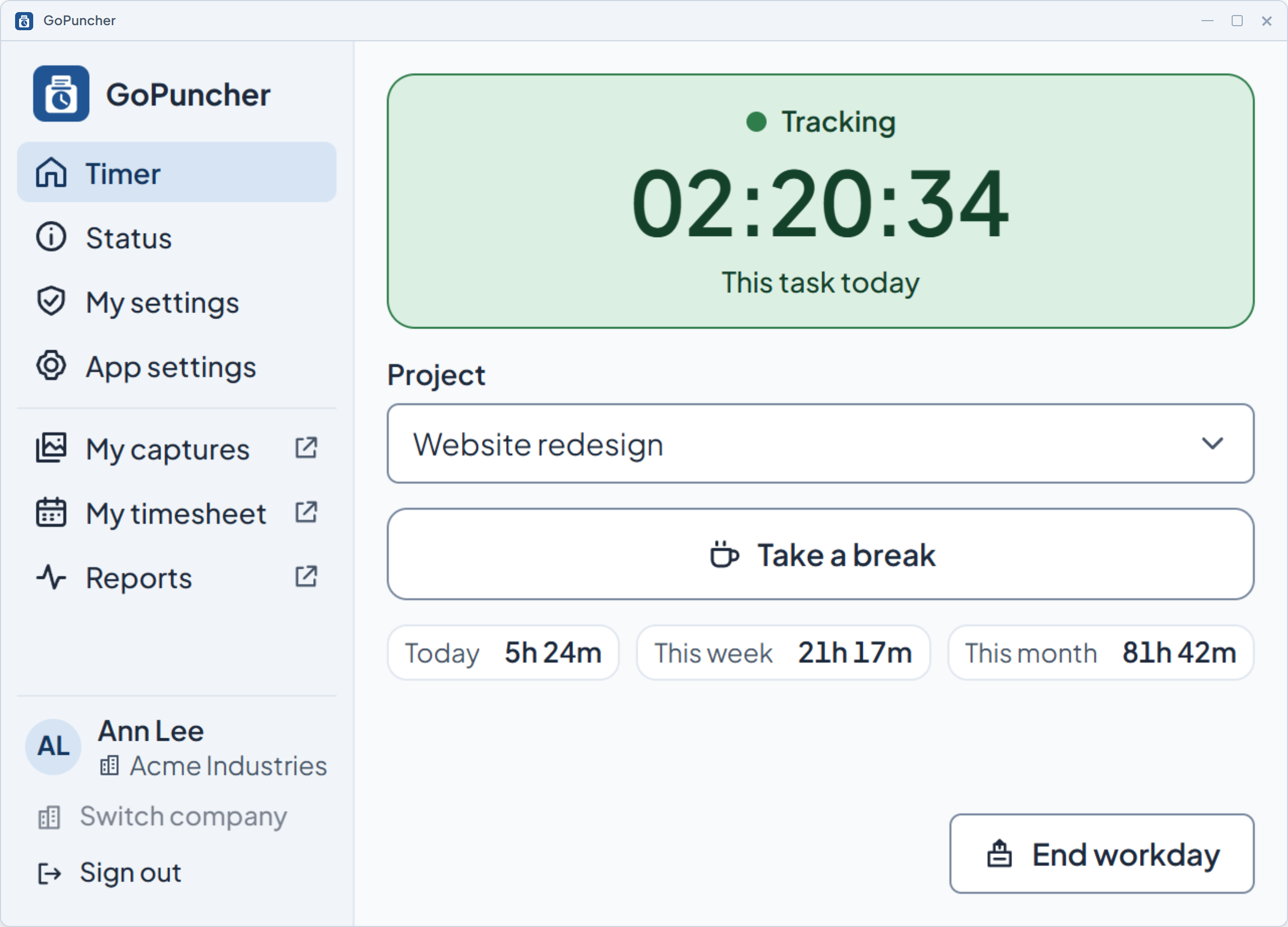
GoPuncher records work time, activity and screenshots on your team's computers. Only while someone runs their timer, and never behind their back: they see everything it records about them.
No logos, no five-star badges. Here is what the product actually does.
What we track and what we don'tSomeone starts a timer and picks a project. At the end of the week you approve it. Nobody retypes anything into a spreadsheet.
We count keystrokes and mouse actions by the minute. What gets typed is never recorded.
Screenshots and app records on the schedule you set. Blur them if your policy needs it. They expire on their own.
People are told what gets recorded before it starts, and they see their own data in the same detail their manager does.
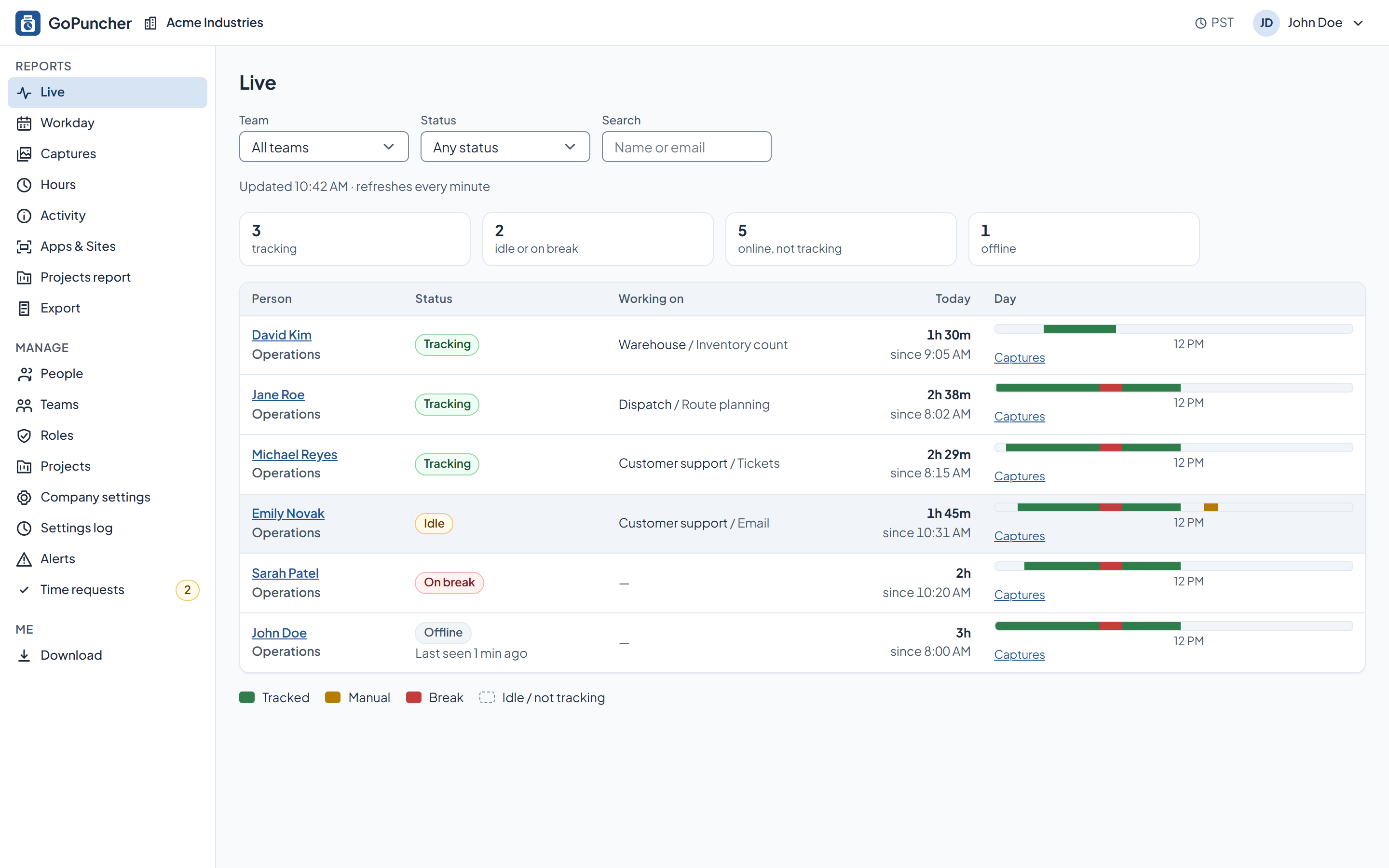
Live: Who's on the clock right now, today's hours, and the current activity level.
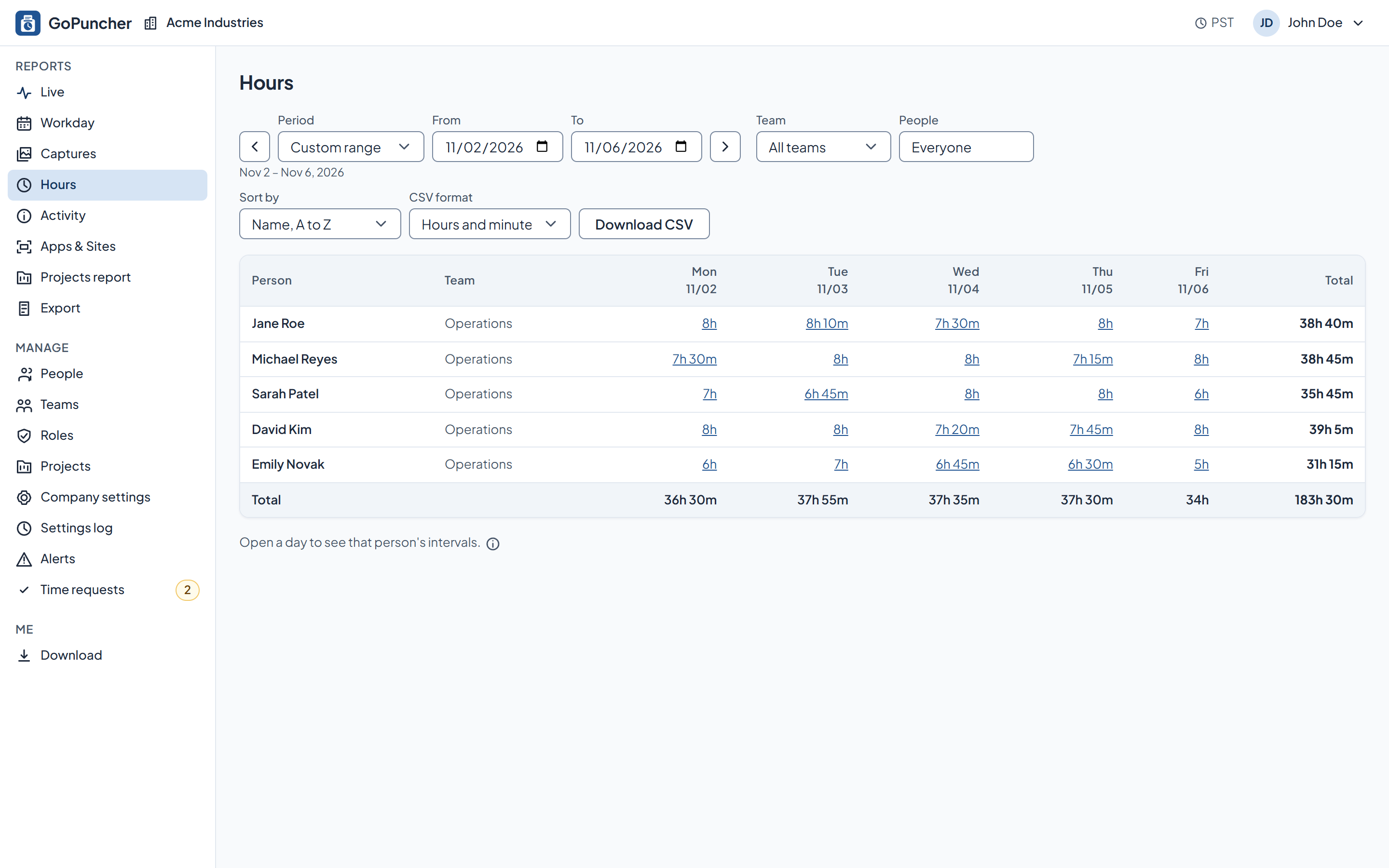
Timesheets: The week per person, with totals your payroll team can use and an approval state.
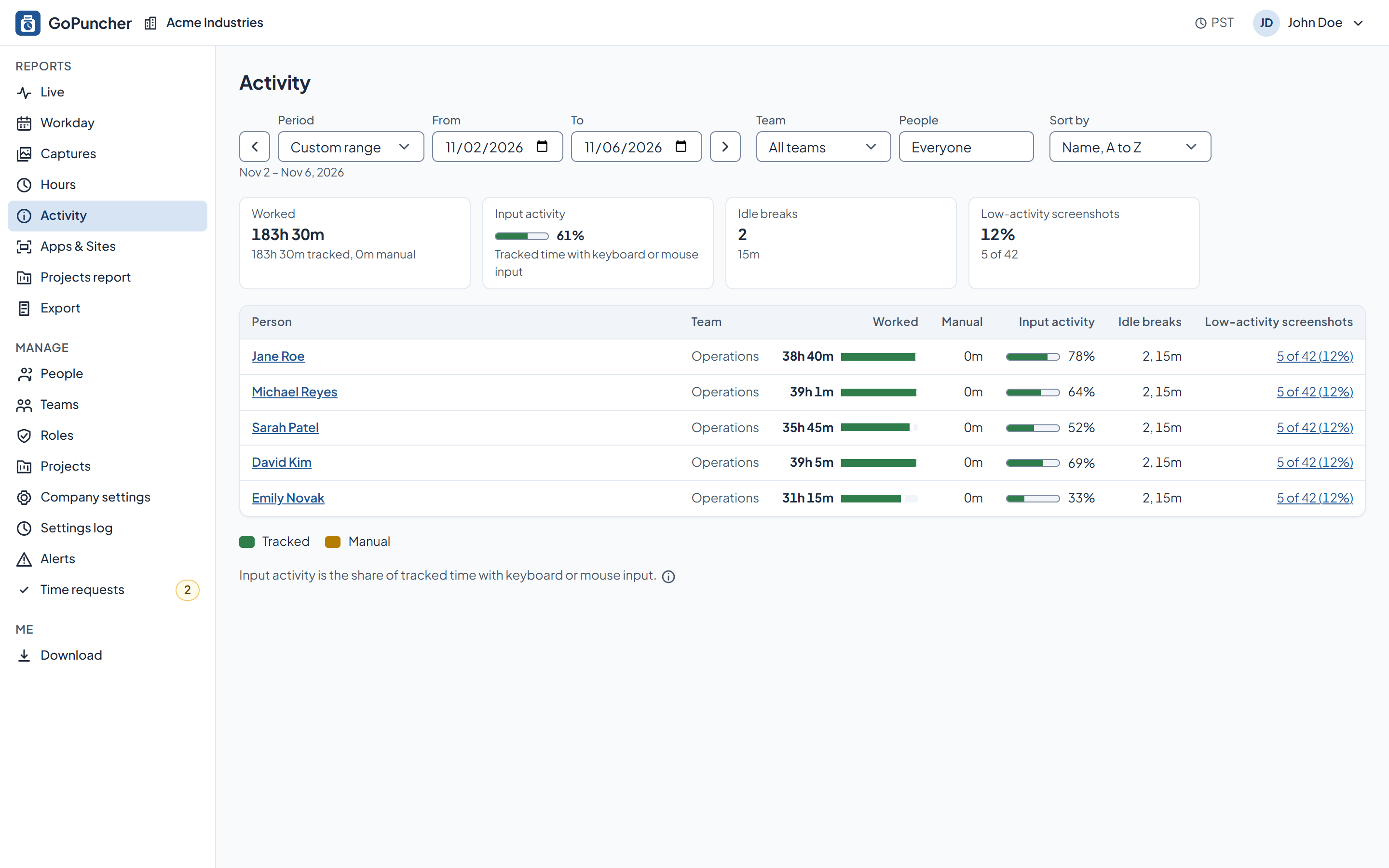
Activity: Activity levels over time, per person and per team, with low-activity minutes called out.
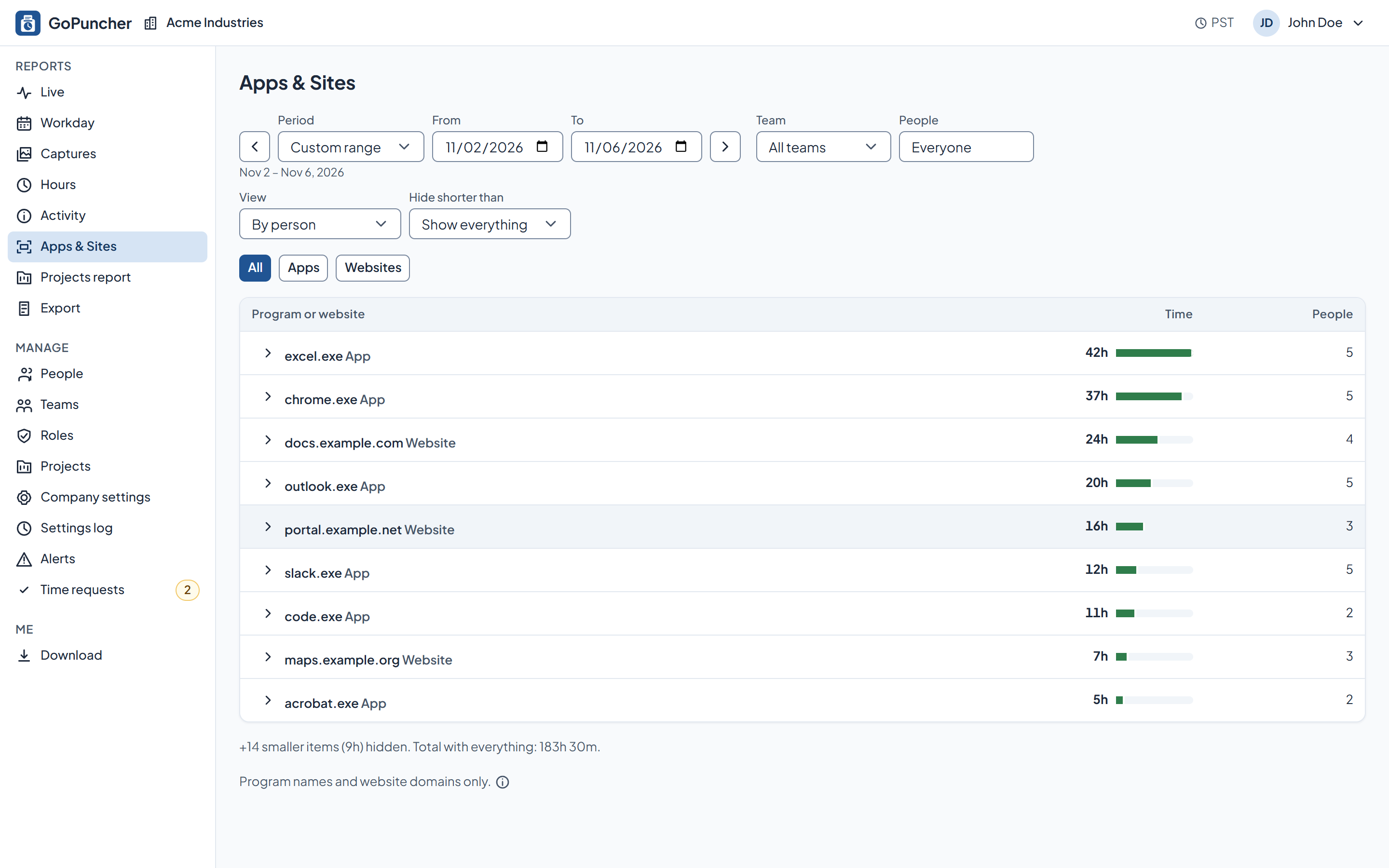
Apps & sites: Which apps and which websites the tracked time went to. Site names, never full web addresses.
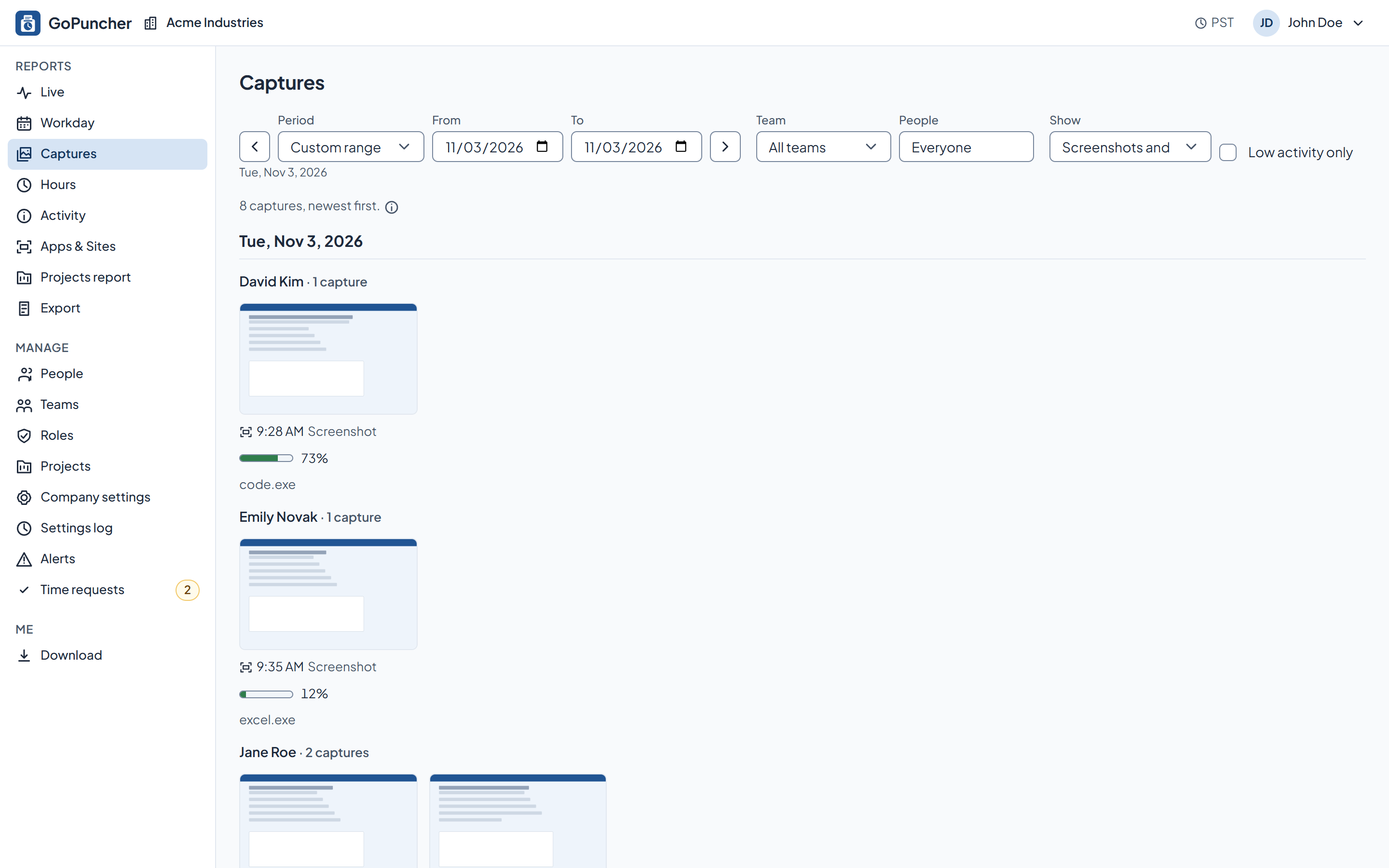
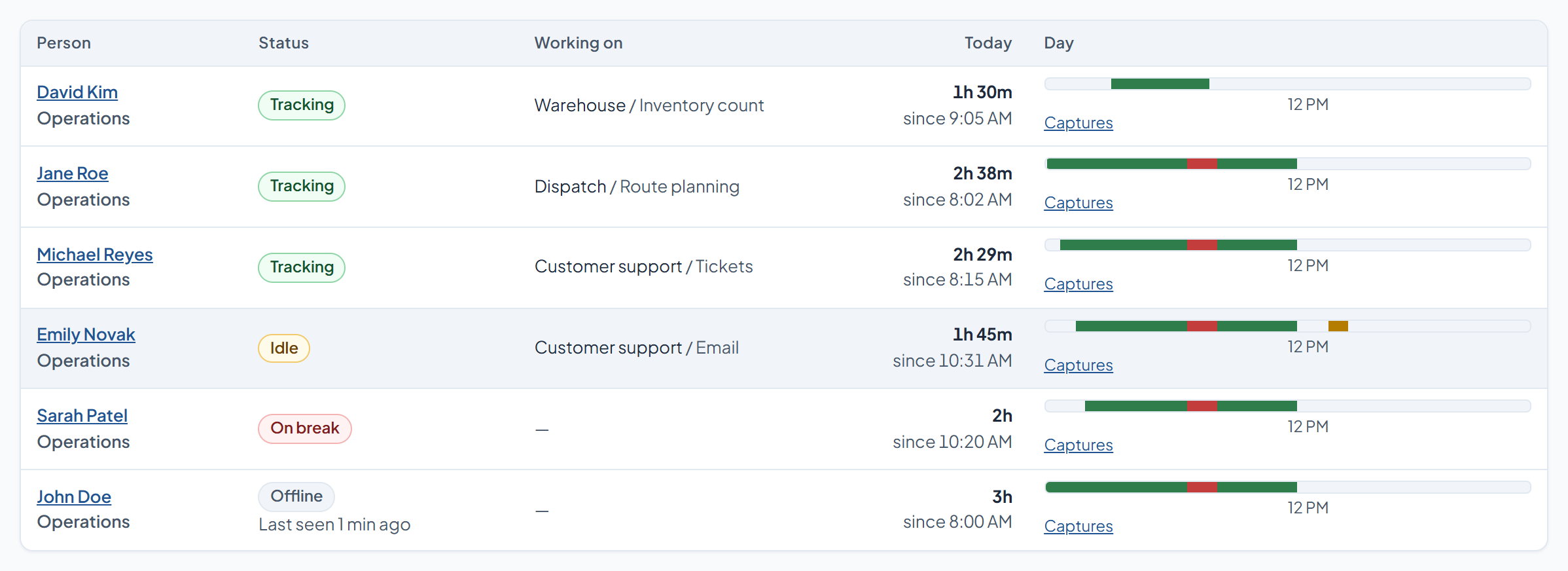
Screenshots: Captures on your interval, with the activity of that minute next to each one. Turn blur on and text can't be read.
One window, one button, and a break that does not need a workaround.
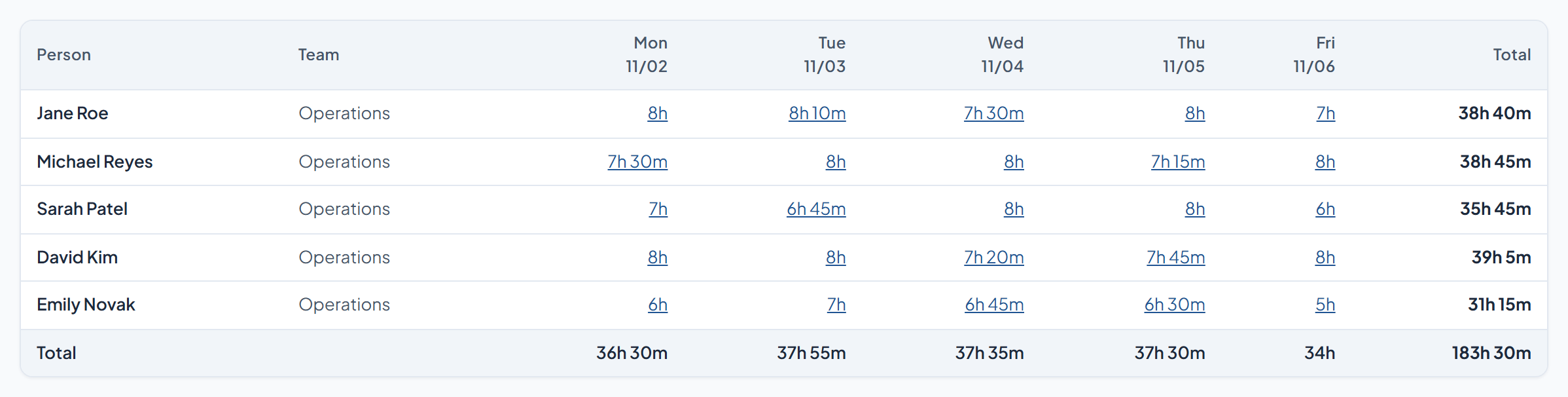
Totals by day and by week, per person, team or project. Approve the week, export it to CSV.
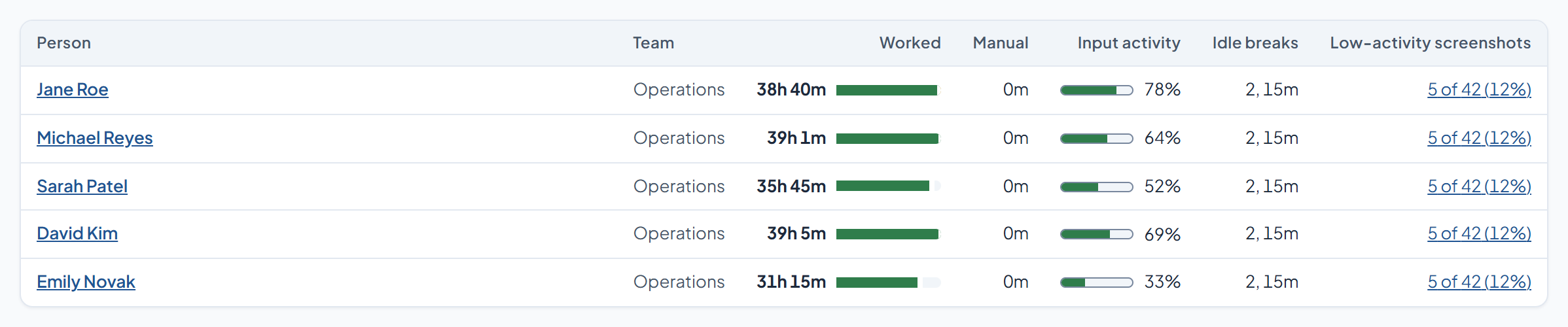
Counts per minute become a level. What was typed is never recorded.
Set the interval, blur them, or switch them off. The setting can differ per team or per person.
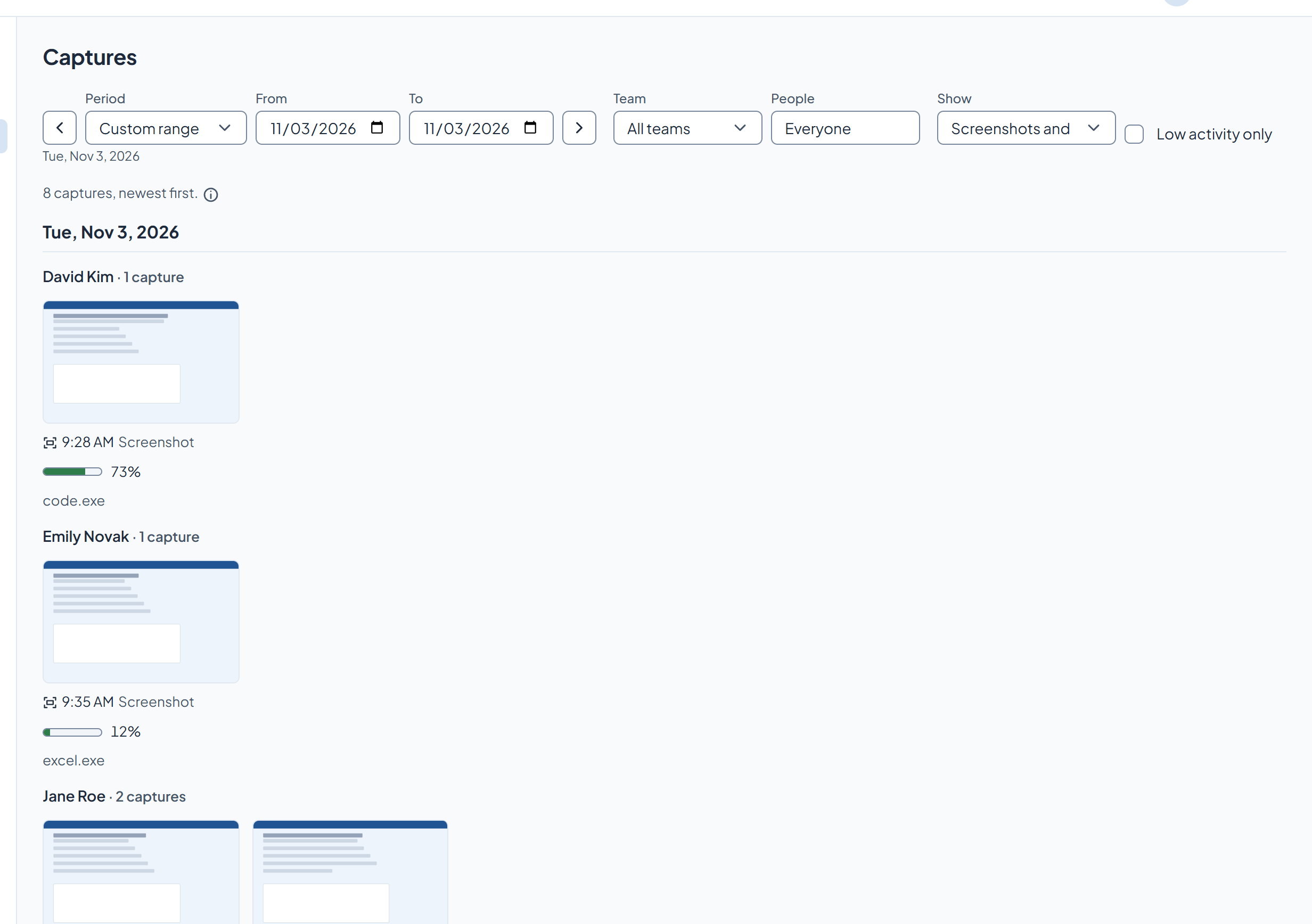
The app in front and its window title. For websites, the site name and nothing more.
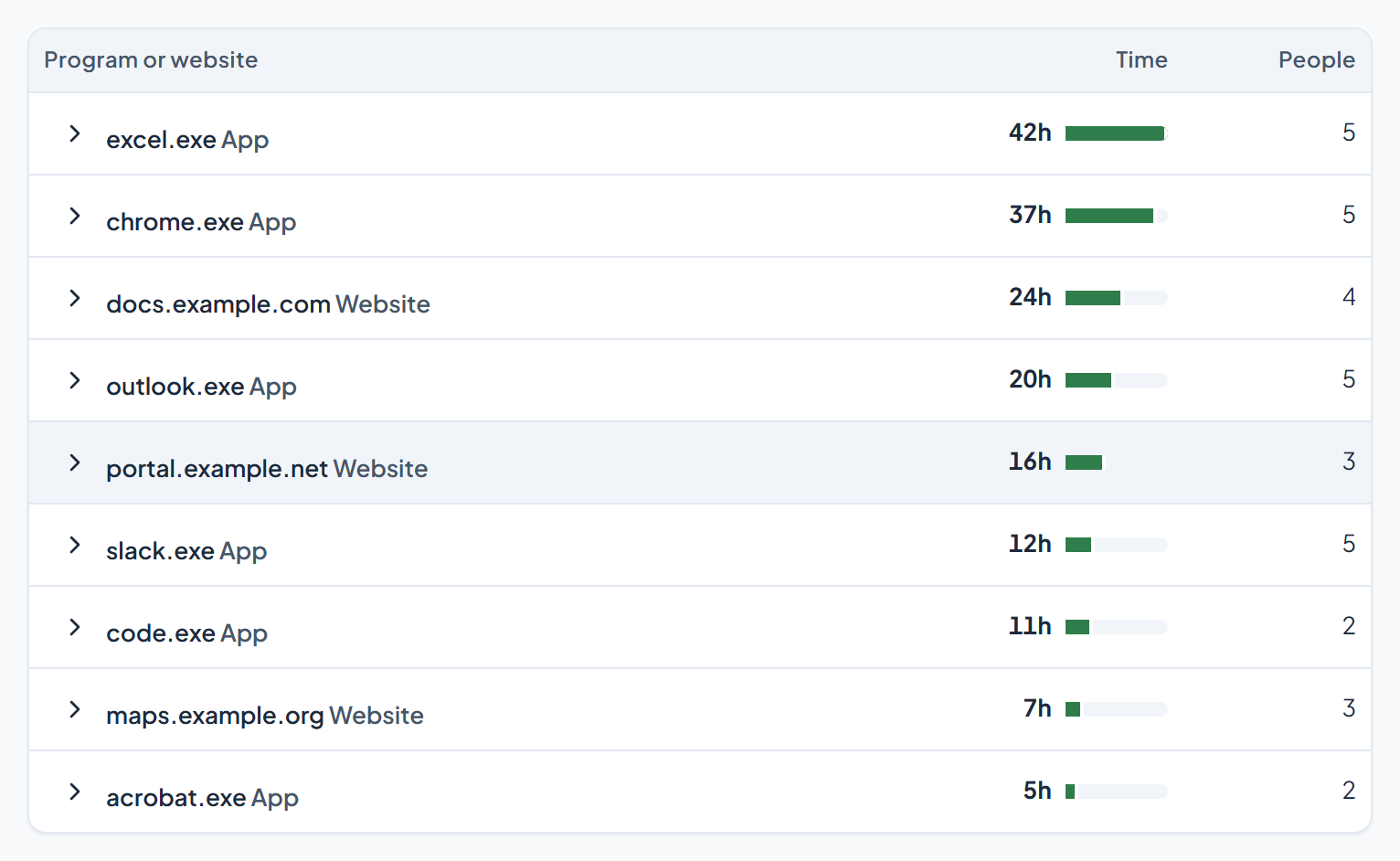
Who is working now, one person's day, the week, activity, apps and projects. Alerts cover the rest.
One installer per machine. It updates itself, so nobody has to chase versions.
They see what's recorded before anything is recorded, and nothing happens until they press start.
Hours, activity, screenshots and reports. Who sees what depends on their role and their team.
The people being tracked are the ones who have to live with this every day. So the app never hides: it shows its state while it runs, and everything it records about a person is in that person's own dashboard.

Sixty people is a Tuesday, not a quarter.
You add people in the panel; they get an invite link, set a password, and appear in your company. Names can be fixed later by you or by them.
One installer per computer. It updates itself from your company's release channel, nobody has to chase versions.
Screenshots, intervals, blur, apps and websites, idle timeout, camera: set for the whole company, overridden per team or per person where you need it. Every change is written to a settings log.
Windows today, with a macOS client in active development. Deactivating someone cuts their access immediately and keeps their records as history.
Four screens, in the order you'd use them.
See who's working now: Live: status, current project, today's hours.
Open one person's day when something looks off: the workday with gaps, breaks and idle time shown honestly.
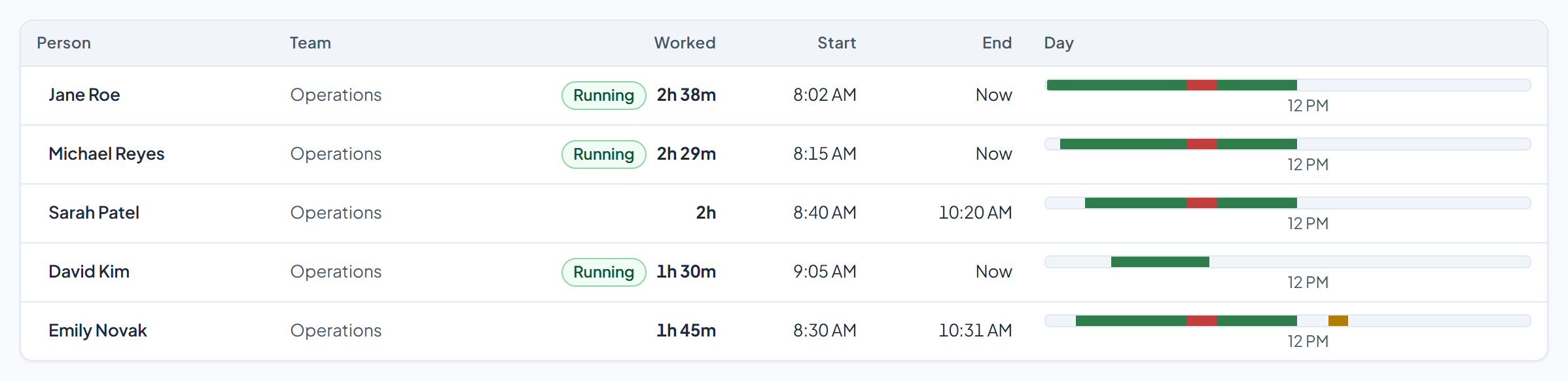
Approve the week: Hours: daily and weekly totals per person, manual time requests waiting for a decision.
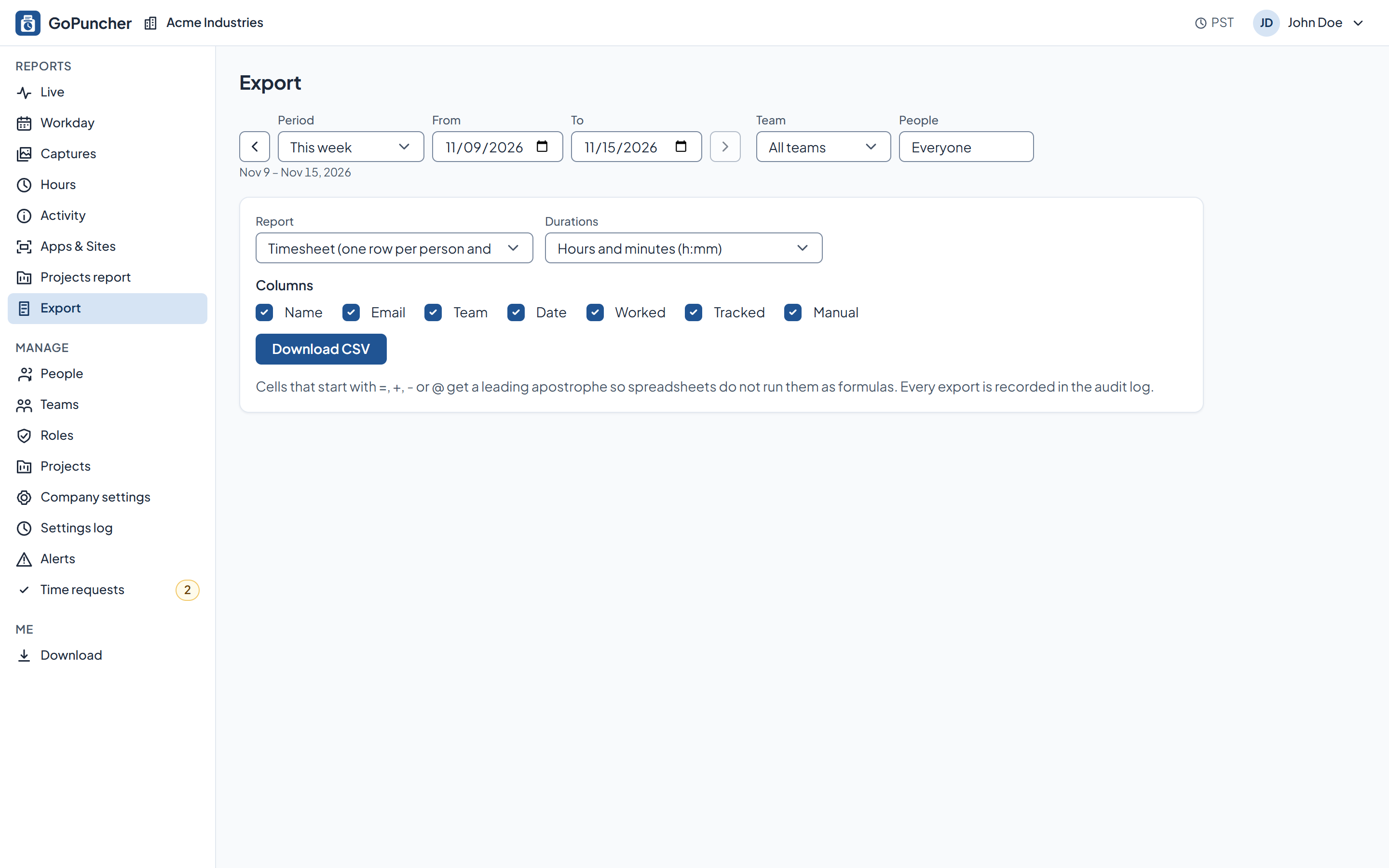
Export it: CSV for payroll, with the columns you choose.
Alerts do the watching in between: no tracking today, activity below your threshold, overtime building up. They arrive by email, and anyone can turn their own off.
Monitoring only works if the people being monitored know the rules. GoPuncher tells your employee what is collected, shows them their own data, and never runs hidden.
The database, the media and the API all run in the United States. Personal information never leaves it.
Employees see their own data, managers their teams, admins the company. Companies are isolated from each other at the database level, and settings changes are logged.
Captures expire on the schedule your company sets and are deleted automatically. Nobody has to ask.
No. It counts keystrokes and mouse actions per minute and nothing else. The content of typing, the clipboard, and the text of messages are never recorded.
No. There is no hidden mode. The employee reads a notice before tracking starts, the app shows its state in the tray and in a visible bar while the timer runs, and the employee can see their own records.
Only if you turn that on. It is off by default, the employee is told before it starts, and photos are deleted automatically when their retention period runs out. We do not do facial recognition.
Windows today. A macOS client is in active development; ask us about timing.
Several states require you to tell employees about monitoring before it starts, and a growing number of state privacy laws now cover employee data too. GoPuncher gives you the notice screen, the record that it was accepted, and settings that match whatever policy you land on. We are not your lawyers: what you have to disclose depends on where your people work.
What we track and what we don'tPricing depends on how many people you track and what you turn on. Tell us about your team and we'll put a number in front of you.
Half an hour, your questions, and the real panel on screen. No slide deck.
