
Apps and websites, at the level of detail you chose.
The app in front and its window title. For websites, the site name and nothing more.
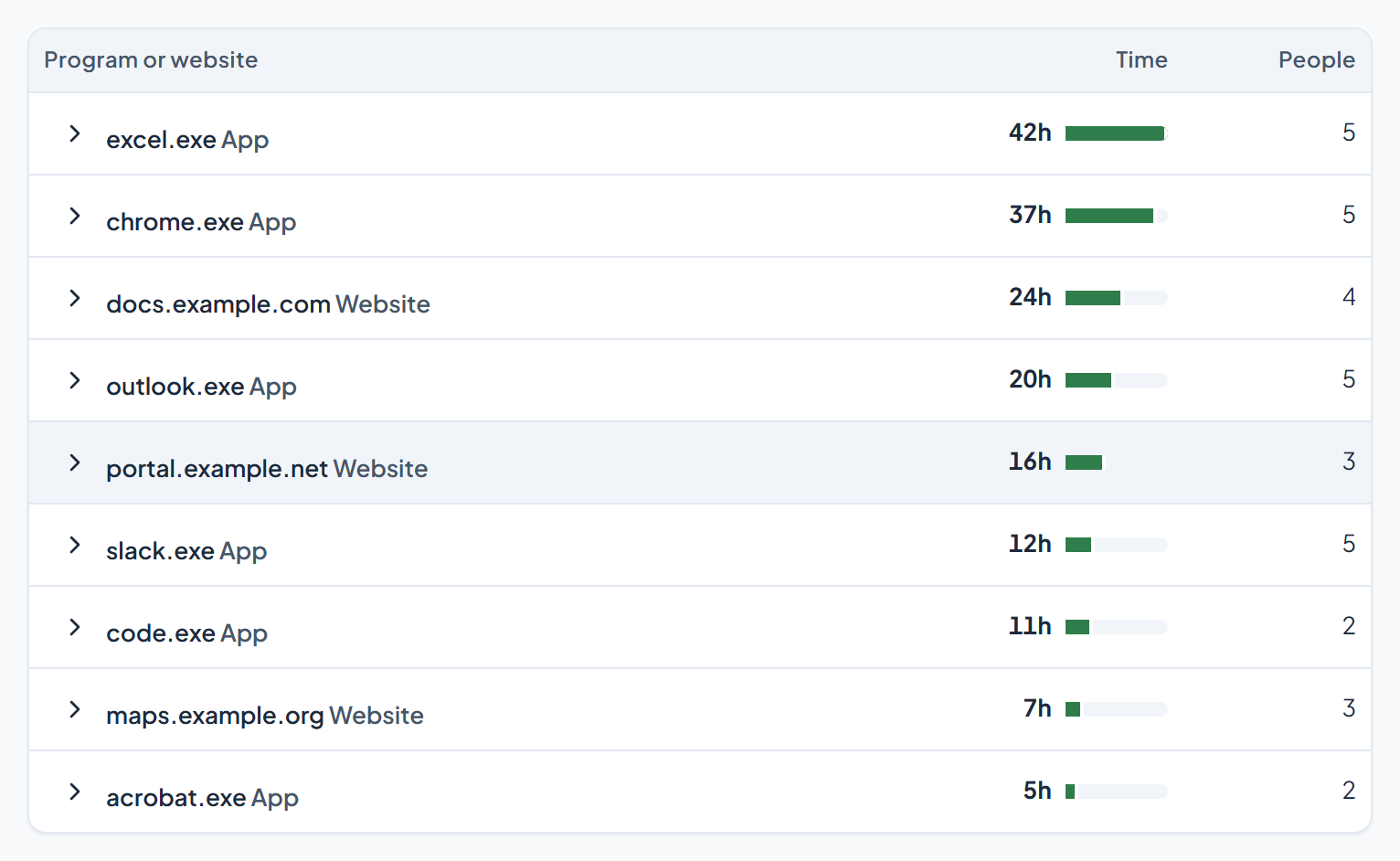
What it does
- The name of the app in front and its window title.
- For websites, only the site name, such as example.com. Never the full address or what's on the page.
- A window title is whatever the app puts in its title bar, so it can include the name of a page or a document.
- A private browser window is recorded as "Private window", without the site name.
- The report can be read by person, or by app and site.
How you set it up
- Apps and websites is one setting, on or off, for the company, a team or one person.
- When it is off, the app does not read the active window at all.
What the employee sees
- Their own apps and websites, in their own dashboard.
- Whether the setting is on for them, in My settings.
See it on your own numbers.
Half an hour, your questions, and the real panel on screen. No slide deck.