
Screenshots with the controls a policy needs.
Set the interval, blur them, or switch them off. The setting can differ per team or per person.
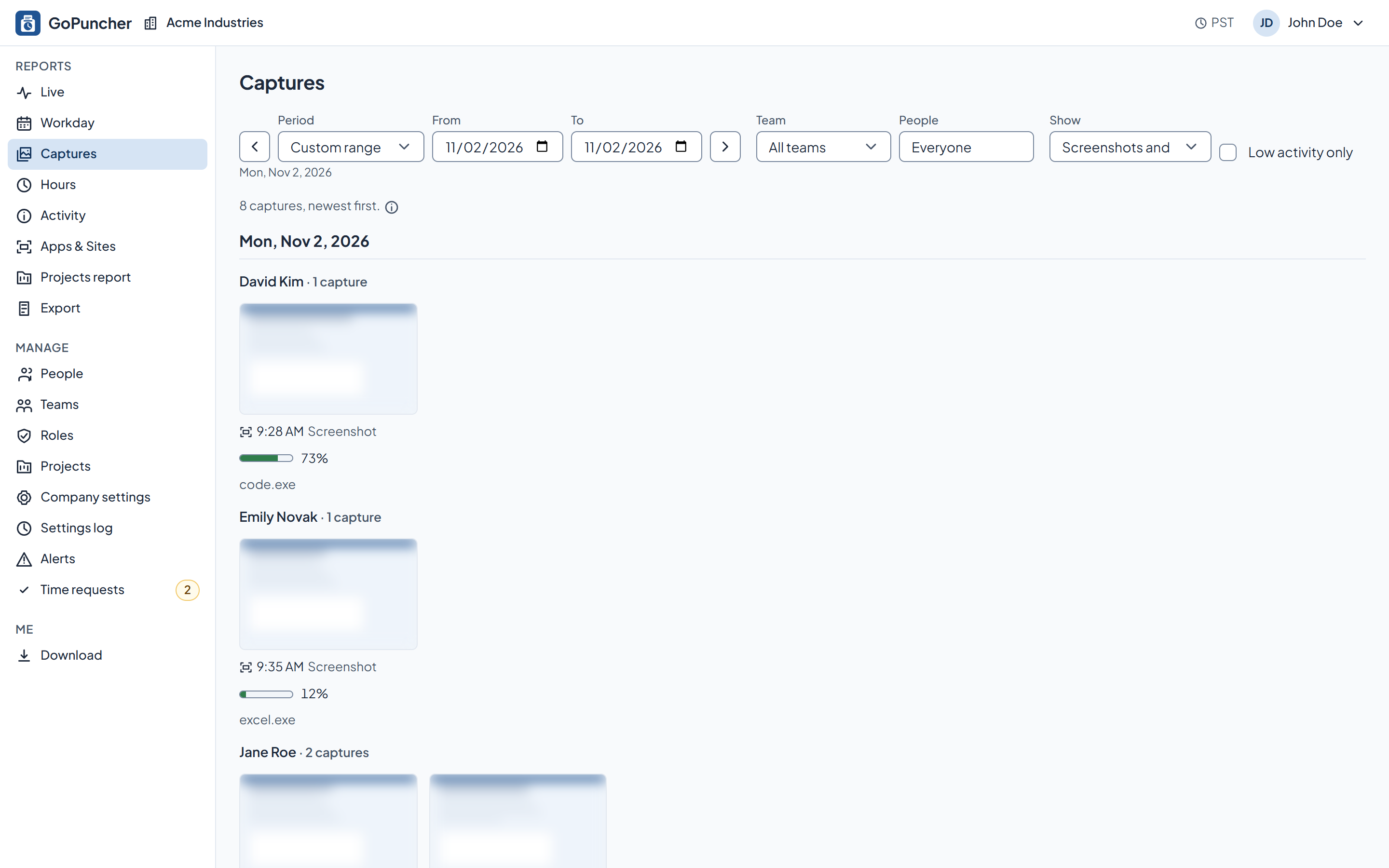
What it does
- A picture of all the employee's screens at a random moment within each interval.
- The interval is 3, 6, 9, 12 or 15 minutes. Or screenshots are off entirely.
- Taken only while the timer runs, never during a break or a pause.
- With blur on, screenshots are blurred on the employee's computer before upload, so text can't be read.
- Deleted automatically once the retention period set for your company runs out.
How you set it up
- Screenshots (the interval, or off), Blur screenshots and Capture preview are each set for the company, a team or one person.
- A company setting decides whether managers can view the captures of their teams.
- Every settings change is recorded in the settings log.
What the employee sees
- With capture preview on, each screenshot appears briefly in the corner of their screen right after it's taken.
- Every screenshot of theirs, in their own dashboard.
See it on your own numbers.
Half an hour, your questions, and the real panel on screen. No slide deck.